TaskRio vs Tasks.Bot for Email Automation Software
You need field staff to confirm a task, and the confirmation is buried in an inbox. Email automation tools promise to fix that, but many teams already coordinate through WhatsApp and never open the app. Choosing between TaskRio and Tasks.Bot means choosing where the work actually happens.
By the end of this article, you will understand what Tasks.Bot does inside WhatsApp, whether it offers email automation, and how its voice notes, GPS tracking, attendance, and reporting features compare with TaskRio's email-based approach. You will also see pricing, beta status, and who each tool fits.
What Is Tasks.Bot? Task Management That Lives in WhatsApp
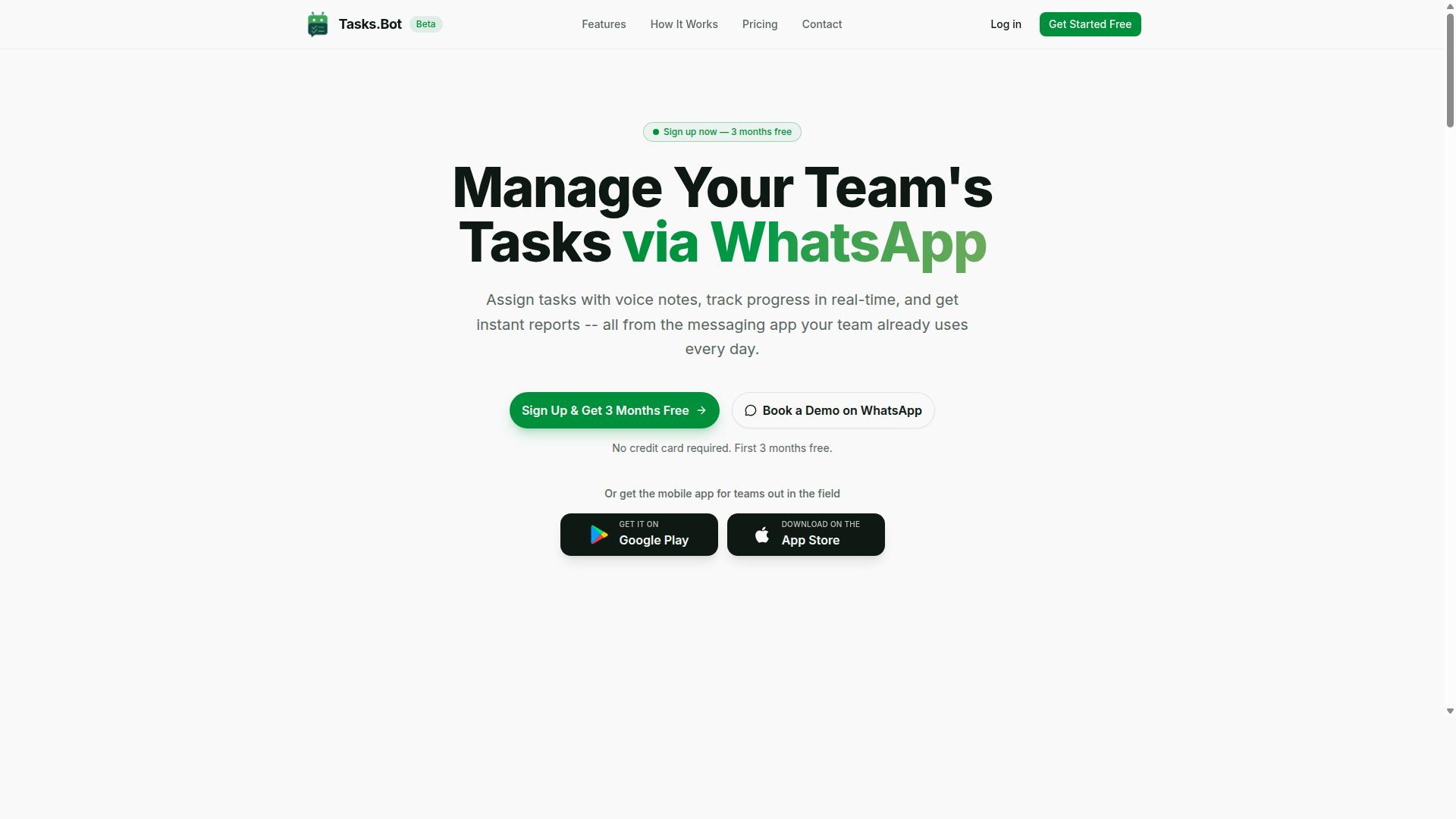
Tasks.Bot is a task management platform that operates entirely within WhatsApp, allowing teams to assign tasks, track progress, and receive reports without leaving the messaging app. Instead of asking employees to learn another dashboard, it meets them in a tool they already open dozens of times a day.
The core value proposition is zero adoption friction. Team members do not need to install new software or create separate accounts, because everything happens inside WhatsApp itself. For managers who have watched expensive platforms go unused, that single design choice changes the math on task management.
Tasks.Bot also offers a mobile app for field teams, available on Android and iOS, with push notifications, voice capture, and a home screen widget. Office staff can stay in WhatsApp while field staff get a dedicated app experience built for work away from a desk.
Under the hood, the platform uses AI to understand user intent and create tasks from messages. Features include voice note task creation, automatic task assignment, smart deadline reminders, approvals and automations, instant reports, tasks on a map, a live day tracker, face-verified attendance, and shifts, leave, and hours management.
It is worth noting that the service is currently in beta and offers a free trial period, so teams can evaluate how it fits their workflow before committing. For organizations weighing task management options, Tasks.Bot represents a distinct approach: rather than pulling people out of messaging, it builds the work layer directly on top of it.
How Tasks.Bot Works for Teams and Field Staff
Tasks.Bot streamlines task management by enabling team members to create tasks via voice notes or text in WhatsApp, which are then automatically assigned. From there, the platform handles the follow-through that usually falls to a manager's memory.
A typical flow looks like this:
- A manager sends a voice note or message describing the work, and AI interprets the intent to create the task.
- Tasks.Bot assigns the task automatically.
- Smart deadline reminders keep the assignee on track without manual chasing.
- Approvals and automations move the task through review steps.
- Instant reports give managers a live view of status across the team.
For field staff, the mobile app adds capabilities that matter on site. Face-verified attendance confirms who actually showed up, while GPS-based tasks on a map show where each job sits. A field technician, for example, can receive an assignment in the app, mark attendance with a selfie, and complete the job, all without a phone call to the office.
Those attendance records feed into shifts, leave, and hours management, which produces payroll-ready hours rather than a spreadsheet reconstructed at month end. The live day tracker gives supervisors a running picture of who is working on what right now.
Because the entire loop runs inside WhatsApp or the companion app, there is no gap between where work is discussed and where it is recorded. Tasks, reminders, approvals, and reports stay in one thread, which keeps small teams and distributed field crews aligned without adding administrative overhead.
Does Tasks.Bot Offer Email Automation Software?
Tasks.Bot is not an email automation platform; it focuses exclusively on task management within WhatsApp. Readers searching for email automation software will not find sequencing tools, campaign builders, or inbox controls here. The product's purpose is different, and understanding that distinction matters before comparing it with TaskRio.
Its core functionality centers on task assignment, tracking, and reporting delivered through WhatsApp. Work gets routed to the right people, progress is visible, and updates flow back to whoever needs them. That is a task coordination model, not an email marketing or inbox system.
Several capabilities commonly associated with email automation are simply outside its scope:
- Email sequencing and multi-step drip campaigns
- Autoresponders and scheduled follow-up emails
- Inbox management, including email categorization and label management
- Trigger-based actions and conditional logic tied to subscriber behavior
- Email tracking metrics such as open rates and click-through rates
- Deliverability work, spam filter handling, and bounce management
Tasks.Bot may send notifications through email in some situations, but a notification is not the same as an automation engine. An alert telling someone a task is due does not manage a subscriber list, run a nurture sequence, or personalize a message at scale. Treating it as a substitute for a dedicated platform would lead to gaps.
This is where confusion often starts. Task management and workflow automation overlap in vocabulary, so buyers assume one tool covers both. In practice, the two solve different problems. Task tools organize who does what and when. Email platforms handle audience segments, sending schedules, templates, and performance measurement.
If email automation is your goal, look for a platform built around Gmail integration, Outlook integration, or IMAP and SMTP connections. Check whether it supports email scheduling, email templates, and rule-based automation, and whether advanced options like an AI email assistant or natural language processing are relevant to your workload.
The practical takeaway is straightforward. Tasks.Bot serves teams that want task accountability inside WhatsApp. TaskRio, by contrast, is positioned in the email automation space. Anyone evaluating the two should first decide which problem they are actually solving, then choose the tool that matches it rather than forcing one product into a role it was never designed to fill.
TaskRio vs Tasks.Bot: How the Two Approaches Compare
TaskRio and Tasks.Bot represent two fundamentally different approaches to workflow management: TaskRio leverages email-based automation, while Tasks.Bot operates entirely within WhatsApp. That single difference shapes everything else, from how quickly a task gets assigned to how easily a field worker can respond.
TaskRio is built around email automation software. Its core strengths tend to sit in parsing incoming messages, categorizing them, and firing off automated responses or scheduled sequences. Teams that live in Gmail or Outlook and handle a high volume of written correspondence often find this model natural.
Tasks.Bot takes a WhatsApp-native task management route. Instead of routing work through an inbox, it keeps assignments, updates, and confirmations inside a messaging app that most teams already have open on their phones. There is no new interface to learn and no separate login to remember.
So which one fits? The answer depends on two things: how your team prefers to communicate, and what kind of tasks you are managing. If your work is document-heavy and asynchronous, email-centric tooling may feel right. If your work is fast, mobile, and conversational, a chat-first platform usually wins.
The sections below break this down further, starting with the workflow styles themselves, then moving into a feature-by-feature look at where each approach shines.
WhatsApp-Native Workflows vs Email-Based Automation
WhatsApp-native workflows like Tasks.Bot excel in real-time, conversational task assignment, while email-based automation such as TaskRio is better suited for asynchronous, document-heavy processes. The distinction matters most when you look at speed and accessibility.
Consider a field team coordinating site visits. A supervisor sends a voice note, a worker confirms with a tap, and location data updates automatically. There is no inbox to refresh, no thread to scroll, and no chance the message gets buried under newsletters and receipts. That low friction is the main advantage of conversational task management.
Email automation works differently. It shines when the work is structured and can wait. A marketing team running drip campaigns, for example, benefits from scheduling, sequencing, and follow-up emails that go out on a fixed cadence. Recipients do not need to reply in seconds, and the whole process runs quietly in the background.
Accessibility also splits the two. Nearly everyone with a smartphone already knows how to use WhatsApp, so adoption tends to be quick. Email automation may require a dedicated client, template setup, and some training before staff use it confidently.
- Best for chat-first work: field staff coordination, quick approvals, shift updates, on-site reporting
- Best for email-first work: drip campaigns, autoresponders, follow-up sequences, bulk outreach
- Speed: conversational tools favor instant back-and-forth; email favors scheduled, batched sends
- Training load: messaging apps are familiar to most users; email platforms often need onboarding
Neither approach is universally better. The right pick comes down to whether your tasks need a fast reply or a reliable, timed send.
Feature Comparison: Voice Notes, GPS Tracking, Attendance, and Reports
Tasks.Bot offers voice note task creation, GPS tracking, face-verified attendance, and instant reports, features that are not typically found in email automation tools like TaskRio. That is not a knock on TaskRio. It simply reflects a different design goal.
Email automation platforms concentrate on email parsing, categorization, and automated responses. Their value shows up in inbox management, label management, priority inbox rules, and trigger-based actions. Field-oriented capabilities like location capture or attendance verification sit outside that scope.
The table below outlines how each feature area compares in general terms. Treat it as a directional guide rather than a definitive spec sheet, since exact capabilities vary by product tier and configuration.
| Feature | Tasks.Bot Approach | TaskRio Approach |
|---|---|---|
| Voice notes | Voice note task creation, so users speak instead of typing | Not a typical feature; text-based email composition is the norm |
| GPS tracking | Location capture tied to field activity | Generally not offered; email tools do not track physical location |
| Attendance | Face-verified attendance for shift and site check-ins | No equivalent; attendance is outside email automation scope |
| Reports | Instant reports generated from task activity | Reporting focuses on email metrics such as open rates and click-through rates |
| Core automation | Conversational task assignment and status updates | Email parsing, categorization, scheduled sends, and autoresponders |
Two patterns stand out. First, Tasks.Bot leans toward mobile, real-world activity, where people are moving and need to log things quickly. Second, TaskRio leans toward written correspondence, where the message itself is the work.
If your team needs to prove someone was on site, confirm a shift, or send a spoken update from the road, email tooling rarely covers it. If your team needs to nurture leads, manage deliverability, or handle bounce handling and unsubscribe flows, that is squarely email automation territory.
A practical way to decide: list the five tasks your team repeats most often each week. If most involve a person moving, confirming, or reporting from a phone, a WhatsApp-native platform fits better. If most involve composing, scheduling, or responding to written messages, email automation is the stronger match.
Key Features and What Makes Tasks.Bot Stand Out
Tasks.Bot distinguishes itself through its WhatsApp-native operation, AI-powered natural language understanding, and features designed for field teams. Rather than asking workers to adopt yet another app, it meets them inside a messaging tool most people already use every day.
That design choice shapes everything else about the product. It also explains why teams with mobile, distributed, or site-based staff tend to evaluate it differently from conventional email automation software.
Here are the capabilities that set it apart.
- WhatsApp-native operation. Team members do not need to install anything or create new accounts.
- AI natural language and voice input. Tasks can be created through plain language or voice notes.
- Face-verified attendance. Attendance records are tied to a verified identity.
- Live GPS tracking. Field staff locations can be tracked in real time.
- Payroll-ready hours. Time data is structured for payroll use.
- Enterprise-grade encryption. Conversations and task data are never shared or used for training.
- Three-month free trial. No credit card is required.
The most immediate benefit is the removal of a login barrier. When a worker has to download an app, create an account, verify an email, and remember a password, adoption drops. Tasks.Bot removes that entire chain by working inside WhatsApp itself.
This matters for inbox management and workflow automation in a specific way. Messages, task updates, and confirmations all flow through one channel instead of scattering across email threads, spreadsheets, and separate apps.
The AI layer addresses a different friction point. Typing a detailed task on a phone in the field is slow. Natural language processing and voice notes let someone describe what needs to happen in their own words, which lowers the effort required to log work accurately.
For teams with field staff, the attendance and location features close a common gap. Face-verified attendance confirms the right person is present, while live GPS tracking gives visibility into where work is happening. Payroll-ready hours then connect that data to compensation without a manual reconciliation step.
Security is handled with enterprise-grade encryption, and the brand states that conversations and task data are never shared or used for training. Teams evaluating email automation tools for sensitive operational data often weigh this carefully.
Anyone comparing options can assess all of this directly, since the three-month free trial requires no credit card. That gives a team room to test whether WhatsApp-based task management and workflow automation fit how they actually operate.
Pricing and Plans
Tasks.Bot offers a single 'Full Access' plan with all features included, priced at ₹200 per member per month or ₹1,200 per year per member. There are no confusing tiers, no locked features, and no upsells to navigate. Every capability the platform provides sits inside that one plan.
Pricing is available in Indian Rupees (₹) and US Dollars ($). The site includes a 'Select currency' option with both choices, so buyers should confirm which currency applies before completing a purchase. That matters for teams comparing budgets across regions.
Because pricing is per member, costs scale with team size rather than sitting at a flat rate. A small team pays for a small team. A larger group pays proportionally more, which keeps the model predictable as headcount changes.
- Monthly plan: ₹200 per member per month
- Annual plan: ₹1,200 per year per member
- Annual savings: 50%, or ₹1,200 per year per member
- New users: 3 months free, no credit card required, cancel anytime
The annual option is the clear value pick. Choosing it over twelve monthly payments saves 50%, which works out to ₹1,200 per member each year. For a team of any size, that difference adds up quickly.
The three-month free window removes the usual risk of committing to email automation software sight unseen. No credit card is required to start, and cancellation is allowed at any time. That combination lets a team test the platform against real inboxes before spending anything.
One practical note: Tasks.Bot is currently in beta. Beta status can mean pricing or features shift as the product develops. Buyers should check the current terms directly before purchase rather than relying on older figures.
For teams weighing email automation options, this structure is simple to evaluate. There is one plan, one per-member rate, two billing cycles, and a free trial period. Nothing hidden, nothing gated.
Trust Signals: Beta Status, Refund Policy, and Teams Already Using It
Tasks.Bot is currently in beta, offers a refund policy, and is already used by hundreds of teams, according to the website. Those three details matter more than they might seem at first glance for anyone weighing email automation software.
Together, they speak to development momentum, financial risk, and real-world adoption. Each one tells a slightly different story about whether the platform is worth a closer look.
Below is what each signal actually means, and how to weigh it when comparing TaskRio and Tasks.Bot for email automation.
Beta status. A beta label means the product is still being actively developed. Features can change, and the team is likely still gathering feedback from early users.
For buyers, that cuts both ways. On one hand, you may get access to newer capabilities before they become standard. On the other, you should expect some rough edges and a roadmap that shifts over time.
If you value stability above all else, a beta product may not be your first pick. If you want to help shape where an email automation tool goes next, it can be a reasonable trade-off.
Refund policy. The site mentions a refund policy in the footer. A published refund policy is a form of risk reversal: it signals that the vendor is willing to stand behind the product if it does not fit your needs.
Before committing, read the actual terms. Check the refund window, any conditions attached, and how requests are handled. A policy is only as useful as its fine print.
For a beta-stage tool, this matters even more. It gives you a way out if the platform does not match your workflow after a fair trial.
Hundreds of teams already using it. The website states that hundreds of teams are already using Tasks.Bot. That is an early-adoption signal, not a proof of long-term reliability.
Still, it suggests the product is not a solo experiment. Other teams have presumably put it through real inboxes, real follow-up emails, and real workflow automation.
When evaluating any email automation software, it helps to ask a few practical questions:
- Does the beta stage align with your tolerance for change?
- Do the refund terms give you a comfortable exit if needed?
- Does early adoption by hundreds of teams suggest the product is being actively used?
- Does the platform fit how your team handles inbox management and task management today?
If you want to see it before deciding, the website includes a Book a Demo on WhatsApp option. That gives you a direct way to ask questions about the beta, the refund policy, and how other teams are using it.
Weigh these trust signals alongside the features that matter to you, such as Gmail integration, Outlook integration, IMAP, SMTP, email scheduling, email sequencing, drip campaigns, autoresponders, follow-up emails, and email templates. The beta label, the refund policy, and the hundreds of teams already on board are all part of the same picture: a platform in active development, with a safety net and a growing user base.
Who Should Use Tasks.Bot
Tasks.Bot is ideal for teams that already use WhatsApp for communication, especially those with field staff who need task management, attendance tracking, and payroll-ready hours. Rather than forcing a new app on employees, it works inside a tool they already check dozens of times a day.
According to the brand, hundreds of teams already use the service. That adoption pattern makes sense: the platform targets organizations where coordination happens in chat, not in a shared inbox.
If your team fits that profile, the value is straightforward. There is no new app to download, no onboarding week, and no change to how staff already talk to each other.
Small and medium businesses often lack the budget for heavy enterprise software. Tasks.Bot fits teams that need structure without a long rollout. Owners can assign work, see who showed up, and pull hours for payroll without juggling three separate tools.
Field service teams are a natural fit. Crews on job sites rarely sit at a desk, and a WhatsApp-based workflow reaches them where they already are. Attendance tracking matters here too, since dispersed staff are harder to monitor through traditional check-ins.
Remote and distributed teams benefit for the same reason. When people work across time zones, a familiar messaging interface removes friction that a new dashboard would add. Coordination stays in one thread instead of scattering across platforms.
The common thread is mobile work. Tasks.Bot is built for people who are moving, not for those parked at a desktop all day.
It helps to be clear about the trade-offs. Tasks.Bot is not built for email-first workflows. Teams that run their operations through Gmail or Outlook, with rules, filters, and shared inboxes, will find it a poor match.
It also is not the right pick if you need advanced email automation. Features like email sequencing, drip campaigns, autoresponders, or trigger-based actions fall outside what this platform is designed to do.
In short, if your coordination lives in WhatsApp and your staff work in the field, Tasks.Bot fits well. If your coordination lives in an inbox, look elsewhere.
Final Verdict: Is Tasks.Bot the Right Choice for Your Team?
Tasks.Bot is a strong choice for teams seeking WhatsApp-native task management with field staff features, but it is not an email automation solution. That single distinction matters more than any feature comparison, because it determines whether the platform belongs in your stack at all. If your priority is managing people, tasks, and follow-through, Tasks.Bot deserves serious consideration. If your priority is email automation software, it does not fit that need.
The platform's core strength is its WhatsApp-based task management approach. Instead of asking teams to adopt yet another dashboard or app, it meets them inside a messaging tool most people already use daily. For field staff and distributed teams, that lowers the barrier to adoption considerably. Workers who are not desk-bound can receive, act on, and close out tasks without switching contexts or learning new software.
This makes Tasks.Bot particularly relevant for certain audiences:
- Field teams and on-site staff who work primarily from a phone
- Managers who need visibility into task status across scattered locations
- Small and mid-sized businesses that want task tracking without heavy onboarding
- Teams already reliant on WhatsApp for day-to-day coordination
Pricing and plan details are best confirmed directly with the company, since the verified information available covers contact channels rather than published tiers. Readers comparing options should request current pricing before making a decision.
Here is where the email automation question resolves clearly. Tasks.Bot does not offer email automation. There is no Gmail integration, no Outlook integration, no IMAP or SMTP handling, and no support for email sequencing, drip campaigns, autoresponders, or follow-up emails. None of the capabilities associated with email automation software, such as email parsing, categorization, scheduling, tracking, or deliverability management, fall within its scope.
Teams searching for inbox management, rule-based automation, or trigger-based actions around email should look at dedicated email automation platforms instead. Choosing Tasks.Bot for that purpose would lead to disappointment, not because the product is weak, but because it solves a different problem entirely.
So the verdict depends on what you actually need. Tasks.Bot is the right choice when your challenge is coordinating tasks and field staff through WhatsApp. It is the wrong choice when your challenge is processing, sequencing, or automating email. Those are two separate categories, and no honest evaluation should blur them together.
For teams that fit the first category, the next step is straightforward. You can reach Tasks.Bot directly by phone at +91 97143 42522 or by email at [email protected] to ask questions or arrange a demo. Speaking with the team is the most reliable way to confirm current capabilities, pricing, and whether the platform suits your workflow.
For teams that fit the second category, the honest guidance is to keep looking. A tool built around WhatsApp task coordination will not substitute for an email automation system, and forcing it into that role wastes time. Match the tool to the job, and Tasks.Bot performs well within its own lane.
Frequently Asked Questions
What makes Tasks.Bot different from other email automation tools like TaskRio?
Tasks.Bot is built around WhatsApp rather than email, so your team can assign tasks, get reminders, and receive reports right inside the messaging app they already use - no new accounts or installs required. It also supports voice note task creation, face-verified attendance, and tasks on a map, which makes it especially useful for teams with field staff. If email is your team's primary channel, a tool like TaskRio may fit better; if WhatsApp is where your team actually communicates, Tasks.Bot keeps everything in one place.
Do I need to install anything or create new accounts for my team to use Tasks.Bot?
No. Tasks.Bot operates entirely within WhatsApp, so team members don't need to install anything or create new accounts to get started. There's also a mobile app available for field teams that need additional functionality. This keeps onboarding simple, especially for staff who aren't comfortable with new software.
How much does Tasks.Bot cost compared to other email automation software?
Tasks.Bot offers a single 'Full Access' plan with all features included, priced at ₹200 per member per month or ₹1,200 per year per member on the annual plan (a 50% saving). Pricing is available in both Indian Rupees and US Dollars. Since we can't speak to other tools' pricing, we'd recommend checking each vendor directly - but with Tasks.Bot you get every feature on one plan with no tiers to compare.
Can Tasks.Bot handle task creation the way email automation tools do?
Tasks.Bot uses AI to understand natural language and voice notes, so you can create and assign tasks conversationally instead of filling out forms. It also includes smart deadline reminders, approvals and automations, instant reports, and live day tracking. For teams that prefer typing a quick message over drafting an email workflow, this can be faster and easier to adopt.
Is Tasks.Bot suitable for teams with field staff, or is it only for office-based teams?
Tasks.Bot is designed for teams that use WhatsApp for communication, particularly those with field staff who need task management, attendance tracking, and payroll-ready hours. Features like tasks on a map and face-verified attendance are built with field teams in mind. Office-based teams can use it too, but the field-oriented features are where it stands out.
How do I get started with Tasks.Bot, and is it available in my country?
Tasks.Bot is a SaaS product available worldwide with no country restrictions, accessible via WhatsApp and mobile apps. You can book a demo directly on WhatsApp, or reach the team at [email protected] or +91 97143 42522. The service is currently in beta, and the site also mentions a refund policy if you want to try it risk-free.
Recommended Resources: